TetherPad
Pencil-driven control for your Mac
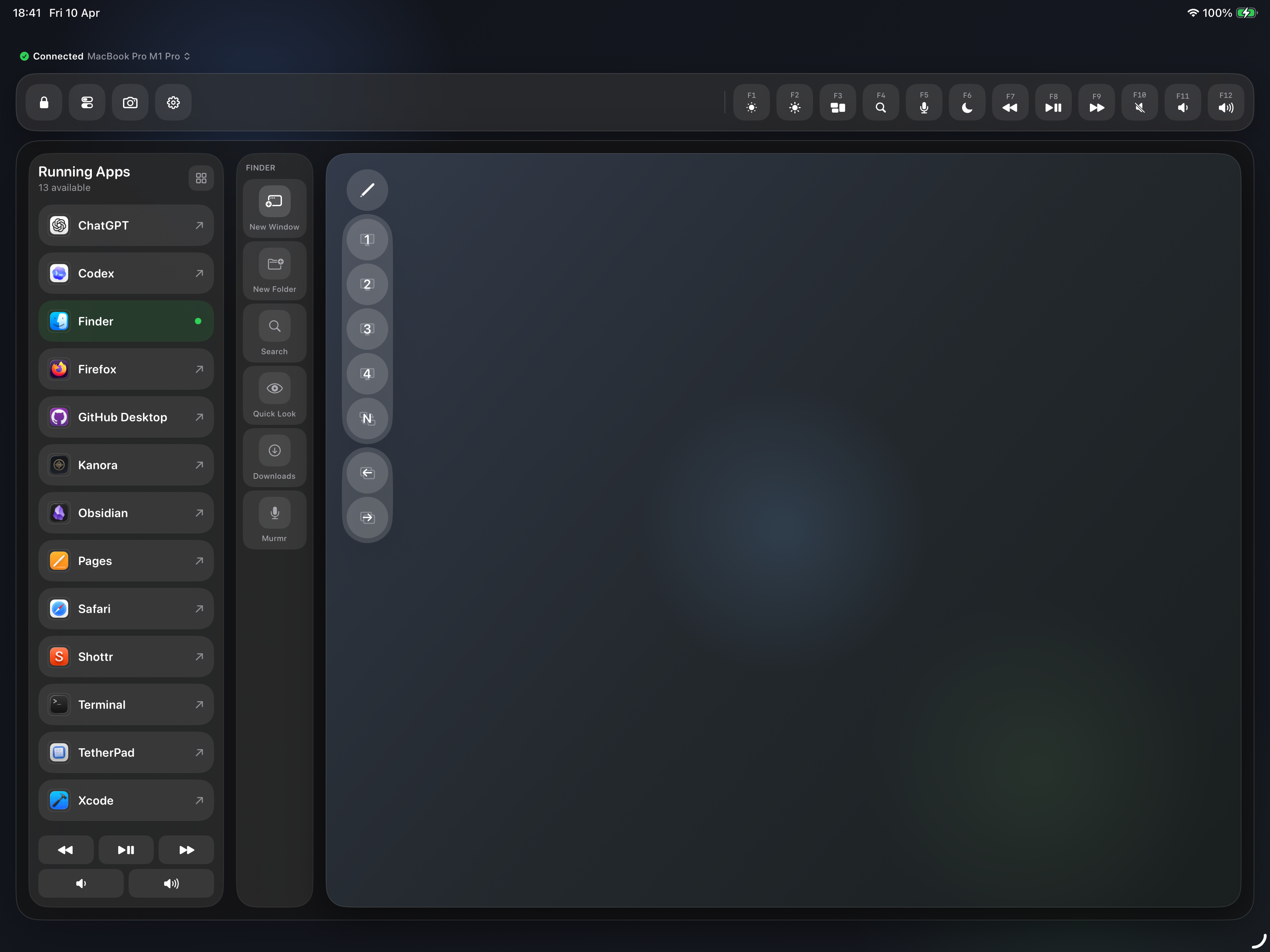
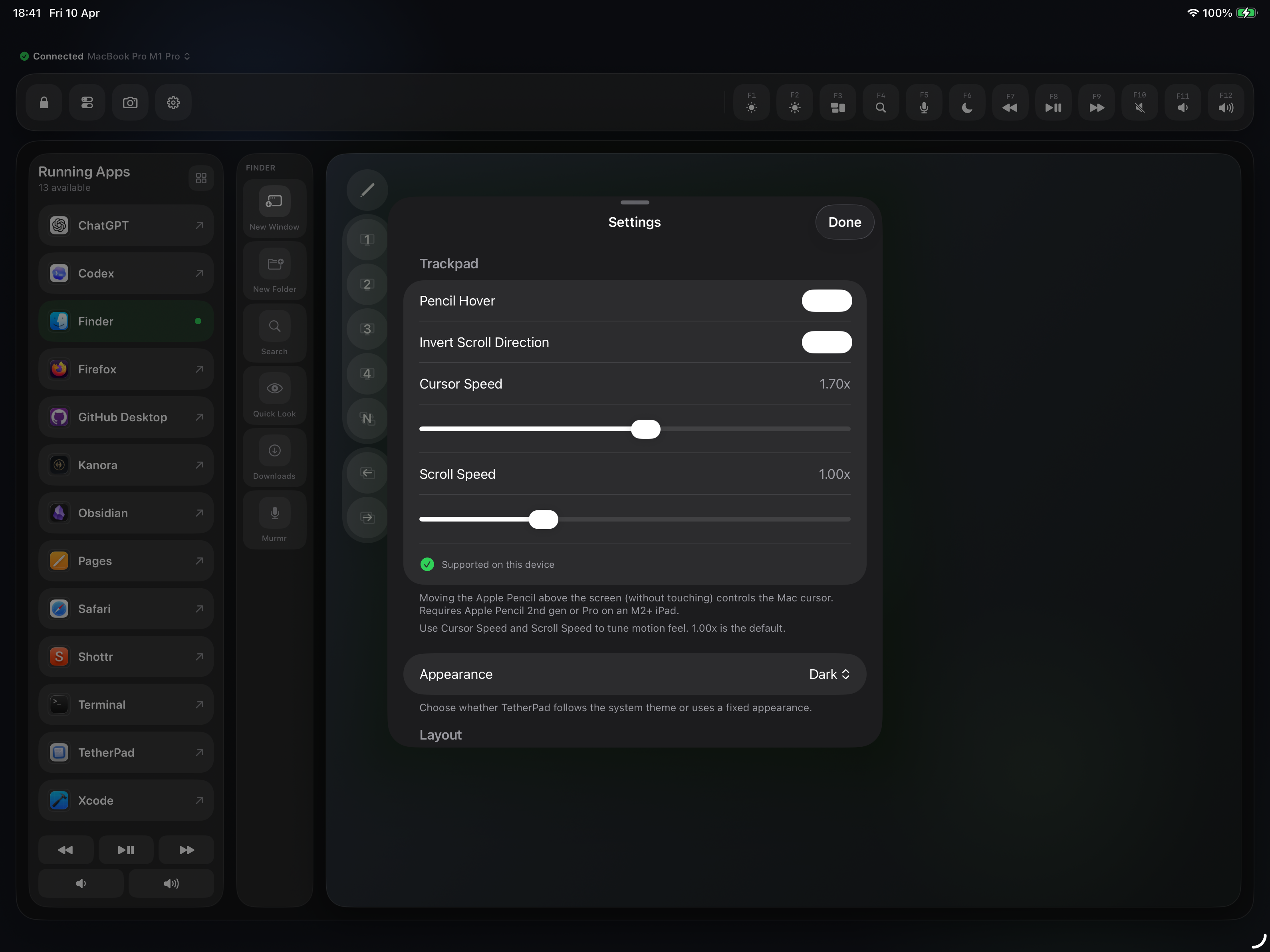
Use Apple Pencil on iPad as a precise trackpad for the desktop: a lightweight macOS menu bar host receives input over MultipeerConnectivity and moves the cursor, plus remote actions for apps and shortcuts when you want the Mac to do more than point and click.
Screenshots
Why I'm building TetherPad
I like the iPad as an input device. Apple Pencil is precise, comfortable, and surprisingly good for small gestures. The problem is that most “remote control” apps either depend on a cloud relay, feel laggy, or turn into an everything-suite that tries to do too much.
TetherPad is deliberately narrow: a local-first, pencil-driven trackpad for macOS with a handful of high-value remote actions. The Mac app is a lightweight menu bar host. The iPad app is the input surface. Pairing happens over MultipeerConnectivity on the LAN, so there's no account system and no server in the middle.
The technical challenge is in the edge cases. Cursor movement via CGEvent is straightforward, but shipping a real tool means handling permission prompts, smoothing input, reconnecting cleanly, and keeping the protocol stable as the feature set grows. I also want structured actions, not vague “remote desktop” behaviour, so sending hotkeys and launching/focusing apps is explicit and predictable.
It's a small project on the surface, but it touches the practical parts of macOS that many iOS apps never need to care about. That's what makes it interesting: building something local-first that feels immediate, trustworthy, and genuinely useful on a desk.
What it does
Draw on iPad
A SwiftUI surface captures Apple Pencil strokes and gestures, and keeps the input on-device until you choose to send it.
Pair over the LAN
MultipeerConnectivity links the iPad client and the macOS menu bar host on your local network, with no cloud relay.
Drive the Mac
The host translates motion into cursor movement via CGEvent. macOS requires Accessibility permission for remote control.
Focus and launch
Bring an app forward or open it from the iPad, handy when the Mac is across the desk or on another display.
Send hotkeys
Fire shortcuts for tools like Raycast, Murmr, or your own stacks, structured as JSON over the same MPC channel.
Who it's for
TetherPad is for iPad-and-Mac setups where the iPad is the comfortable input surface: desk workflows, presentation setups, multi-monitor rigs, or just controlling a Mac that's not within easy reach.
It's also for people who want a local-first tool. Pair on your network, keep it fast, and avoid the “create an account” path that most remote-control apps default to.
In progress
TetherPad is under active development and I'm dogfooding it as an iPad plus Mac workflow. There's no public TestFlight link yet; when beta opens, this page will be updated.
Tech notes
Platforms
App stack
Connectivity & input
Links
TetherPad is not public yet. If you want to be notified when a beta is available, email me.